The volume of each channel can be individually adjusted, and each channel can be muted.
Quick Volume
-
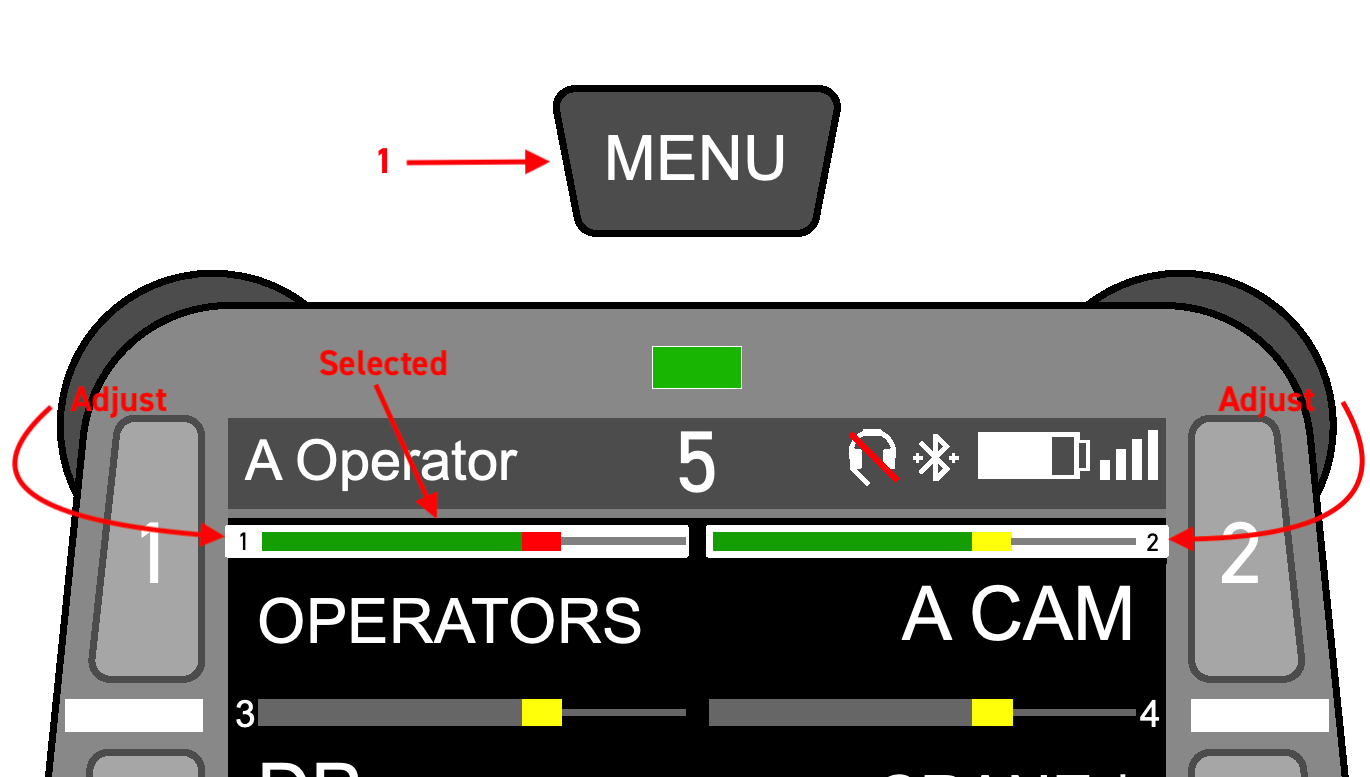
Short-Press the MENU key. You will see the volume bar for the first two channels selected; indicated by a white outline.
-
Short-Press the MENU key repeatedly until the channel you would like to adjust is selected. On the fourth press, the volume bar of the last beltpack you heard will be displayed at the top center of the screen (see Reply Key ), allowing you to adjust the volume of that individual beltpack.
-
When the volume bar you wish to adjust is selected, turn the corresponding rotary encoder to change the volume of that source.
Quick Mute
To mute a channel.
- Short-press the MENU key.
- Press the numbered key associated with the channel you wish to mute.
- A Mute icon
 will appear indicating success.
 - Pressing the numbered key again will un-mute. Volume will be restored to its previous setting.