On The Beltpack
- Medium-press (0.5–3 secs) the MENU key to open the Quick-Menu. The Quick Menu may not have these exact options, but Bluetooth will be one of them.
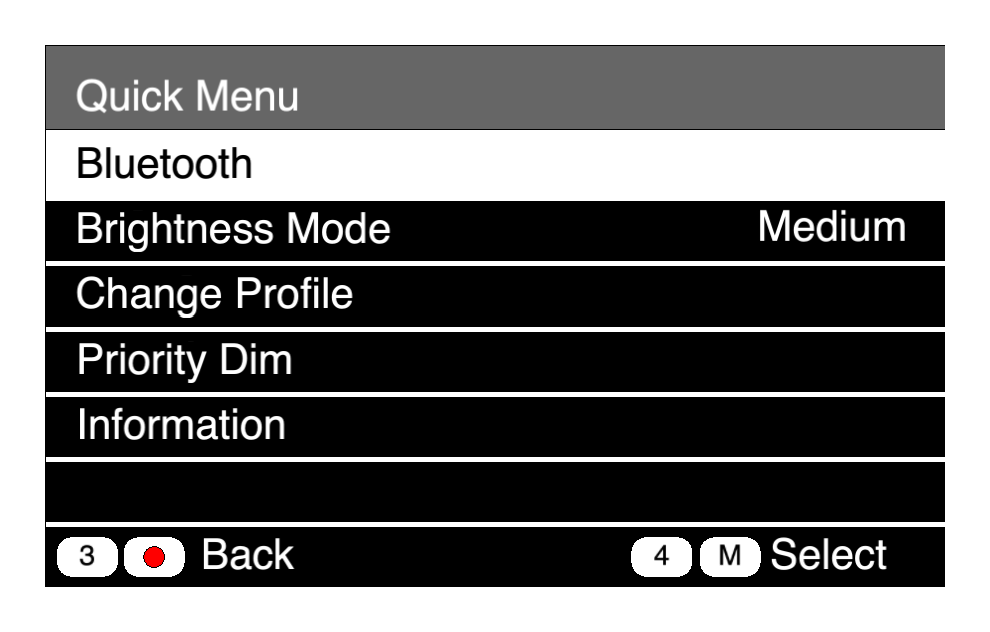
- Use either rotary to highlight
Bluetooth. Press MENU to select. - Confirm that
Bluetooth StateisConnect to Headset. If not, use either rotary to scroll to highlight Bluetooth Setting and press MENU to to select. Change the setting toConnect to Headset. Press REPLY to go back.
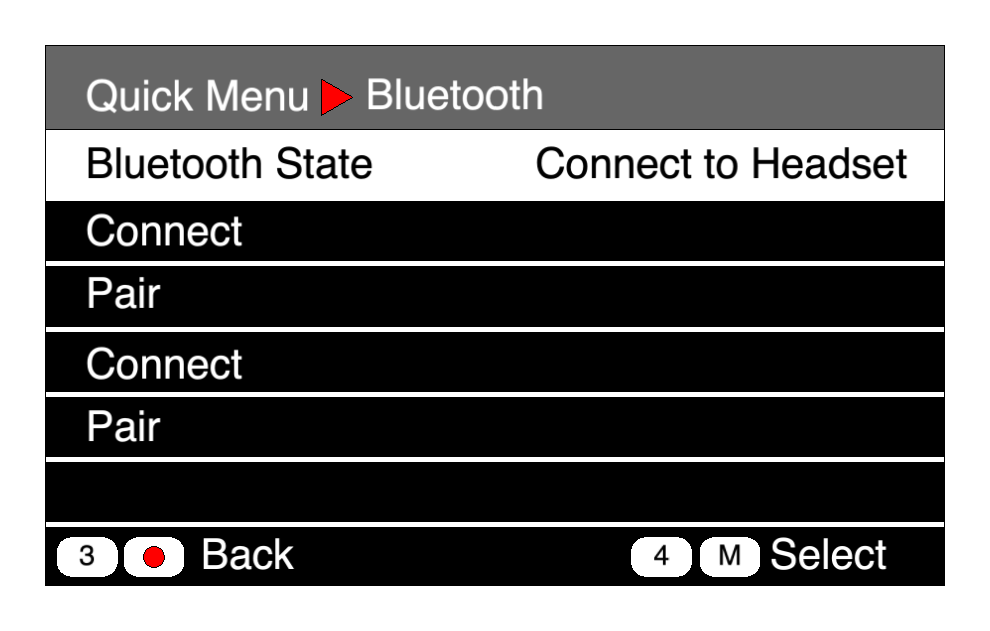
- You can pair up to two headsets. If you are pairing a spare headset because the battery died in the headset numbered to correspond to your beltpack, use the second position to pair the spare headset. That way your main headset is still paired and ready to go once it is charged again.
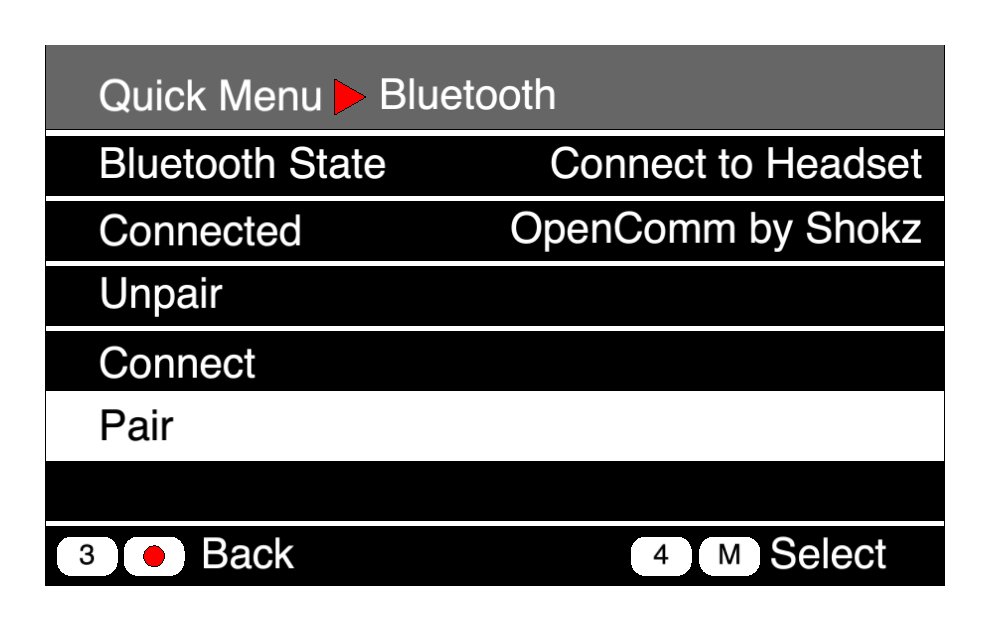
- Select
Pair. Press MENU to confirm. The beltpack is now in pairing mode.
On The Headset
- Place your headset in pairing mode. For Shokz headsets, hold the + button until the LED flashes alternating red and blue.
Back On The Beltpack
- Be patient. At first you may see a bunch of numbers. Eventually the name of the headset will appear. Scroll and press MENU to select.
- Confirm that the second line says Disconnect:[YourHeadset’sName].
- You are now paired and connected.
- Press REPLY repeatedly to return to the main screen.
Next
05 Menus