Quick Menu
The Quick Menu is accessed by medium pressing the MENU key.
Use a rotary to highlight an option.
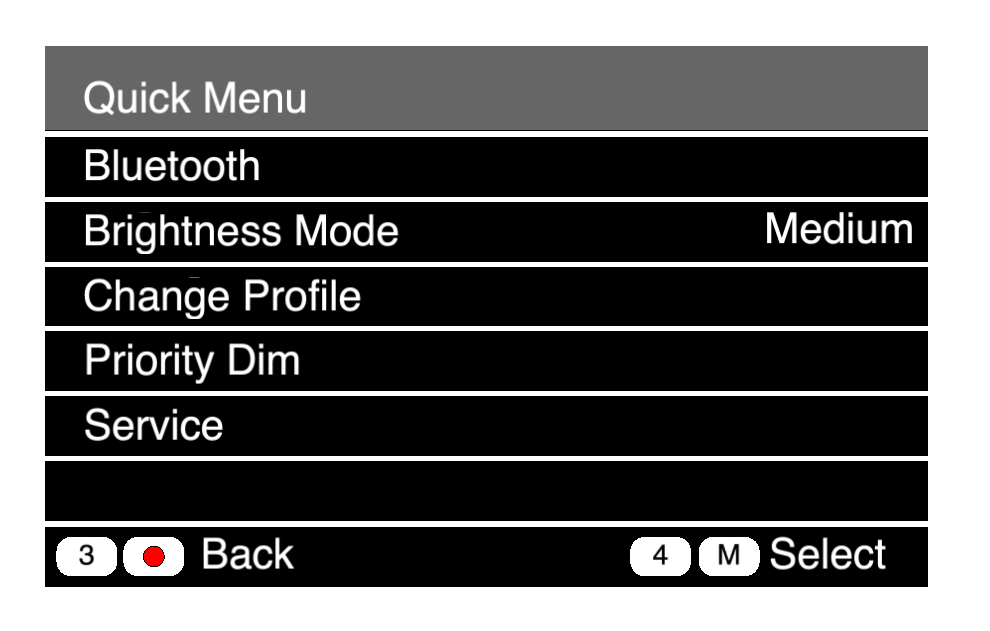
Bluetooth
See 04 Pair Your Bluetooth Headset
Brightness Mode
The default setting is Medium. Use High for daylight situations.
Change Profile
Select a pre-built profile to quickly set up a beltpack for a specific crew position.
Priority Dim
If a channel is set to Low priority, that audio signal will be dimmed when a Standard or High priority signal is received. In our system, the Comtek channel is set to Low priority. This menu function adjusts the level of dimming. Default is -20dB.
Service
This has some utilitarian tools.
Test
You can walk around and test the signal strength from all the visible antennas.
Reset
Profile Defaults
Brings the beltpack settings to those specified in its profile.
Factory Reset
Resets all beltpack settings to factory defaults. Use this if you are having unexpected behavior from a beltpack. Beltpack will reset to the default state of the last profile it used. The beltpack will need to be registered.
Main Menu
The main menu is accessed with a long press of the menu button. To reduce the amount of chaos in the system, this menu is locked.